7 Free Halloween SVG Files for Easy Cricut Costumes
Looking for an easy and inexpensive Halloween costume you can make with your Cricut? These 7 free Halloween SVG files are perfect for creating simple DIY Halloween costumes with a little creativity and a plain t-shirt!
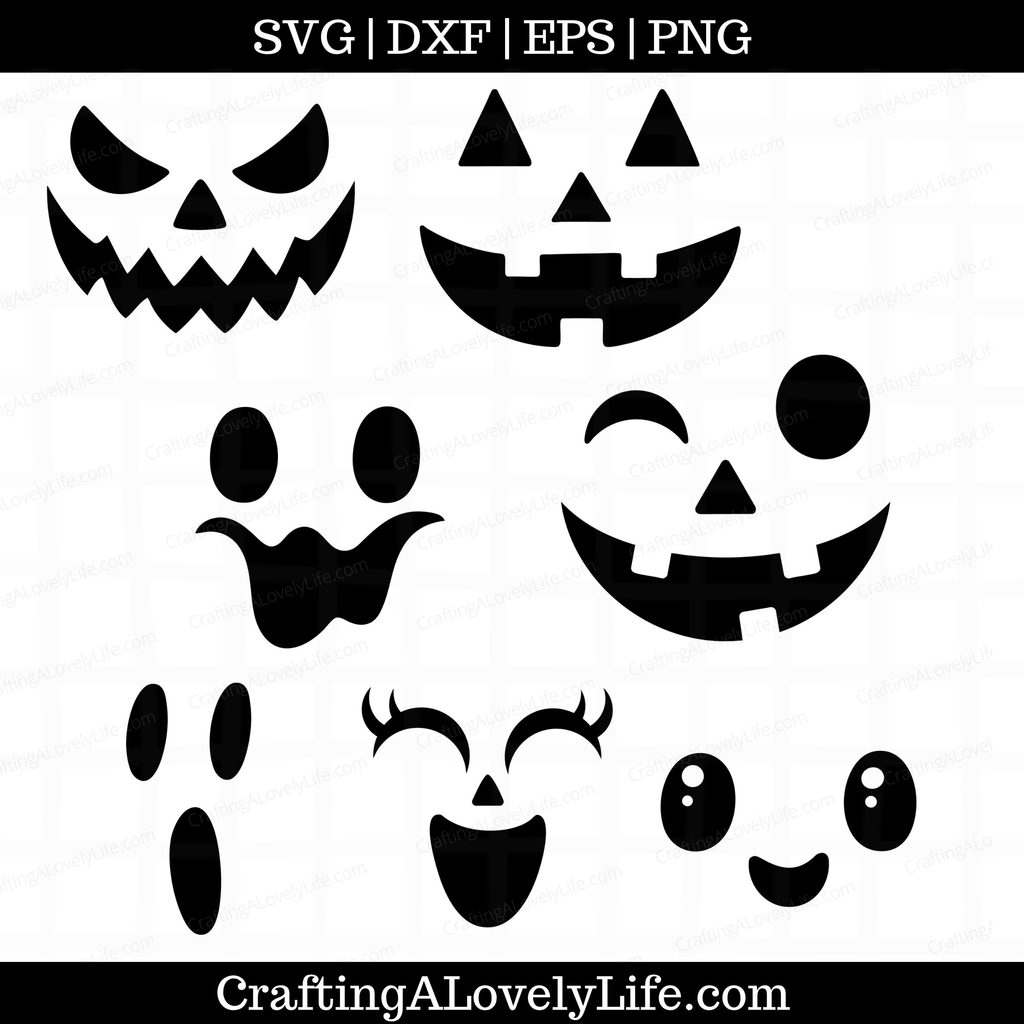
This free Halloween SVG collection includes 3 different Jack O’ Lantern faces and 4 spooky ghost faces that you can cut with your Cricut machine and apply to a t-shirt using heat transfer vinyl (HTV). They’re a fun way to make a last-minute Halloween costume without spending a lot of time or money.

Whether you’re making Halloween shirts for kids, creating matching family costumes, or putting together an easy costume for yourself, these free SVG cut files make getting dressed up for Halloween simple!
Free Halloween SVG Files
1. Jack O’ Lantern Face SVG Files
Turn an ordinary orange t-shirt into a cute or spooky pumpkin costume with these 3 free Jack O’ Lantern face SVGs.
Simply cut your favorite pumpkin face from black heat transfer vinyl and apply it to an orange shirt. Pair it with black pants or leggings, and you’ll have an easy pumpkin Halloween costume that’s ready to wear!
These pumpkin face designs are great for kids and adults alike. You could even make matching pumpkin shirts for siblings or the entire family.
2. Ghost Face SVG Files
Prefer something a little more spooky? This collection also includes 4 free ghost face SVG files to help you create a simple ghost Halloween costume.
Use white, black, or another solid-colored t-shirt as your base and apply the ghost face using heat transfer vinyl. You can customize the look with different shirt colors to create a fun Halloween outfit that suits your style.
These ghost shirts are perfect for school Halloween parties, trick-or-treating, or anyone who wants a cute and easy costume without a lot of extra accessories.
Supplies Needed to Make Halloween Costume Shirts
You only need a few basic supplies to make your own DIY Cricut Halloween costume shirts.
- Cricut cutting machine
- Free Halloween SVG cut files
- Plain t-shirts in your preferred colors
- Heat transfer vinyl (HTV)
- Weeding tool
- Cricut EasyPress or heat press
- Protective sheet or pressing mat, as recommended for your HTV
Tip: Orange shirts work especially well for the Jack O’ Lantern faces, while white shirts are a classic choice for the ghost designs. Feel free to experiment with other colors to make each costume unique!
How to Make Easy Cricut Halloween Costumes
Follow these simple steps to turn your free Halloween SVG files into fun costume t-shirts.
Step 1: Download the Free Halloween SVG Files
Download the Jack O’ Lantern and ghost face designs you want to use. Save the files to your computer so you can upload them into Cricut Design Space.
Step 2: Upload the SVG to Cricut Design Space
Open Cricut Design Space and upload your chosen SVG file. Add the design to a new canvas and resize it to fit the front of your t-shirt.
Before cutting, make sure your design is sized appropriately for the shirt you’re using.
Step 3: Cut the Design from Heat Transfer Vinyl
Place your heat transfer vinyl on the cutting mat with the shiny carrier sheet facing down, following the instructions for your particular HTV.
Don’t forget to mirror your design before cutting! This is an important step when working with heat transfer vinyl.
Step 4: Weed the Design
Once your Cricut has finished cutting, carefully remove the excess vinyl using a weeding tool. You’ll be left with just the Jack O’ Lantern or ghost face design.
Step 5: Apply the Design to Your T-Shirt
Position the design on your t-shirt and apply it using your heat press or Cricut EasyPress. Follow the temperature, pressure, and pressing-time recommendations for your specific vinyl.
Allow the design to cool as directed before removing the carrier sheet.
Step 6: Wear Your DIY Halloween Costume!
Your easy Halloween costume is ready to go! Pair your new t-shirt with jeans, leggings, or other Halloween accessories to complete the look.
More Ways to Use These Halloween SVG Files
These free Halloween face designs aren’t just for costume t-shirts! You can use them for a variety of fun Halloween projects, too.
- Matching family Halloween shirts: Use different pumpkin and ghost faces to create coordinating shirts for everyone.
- Halloween party shirts: Make themed shirts for a Halloween party or school event.
- Halloween sweatshirts: Apply a design to a sweatshirt for a cozy Halloween outfit.
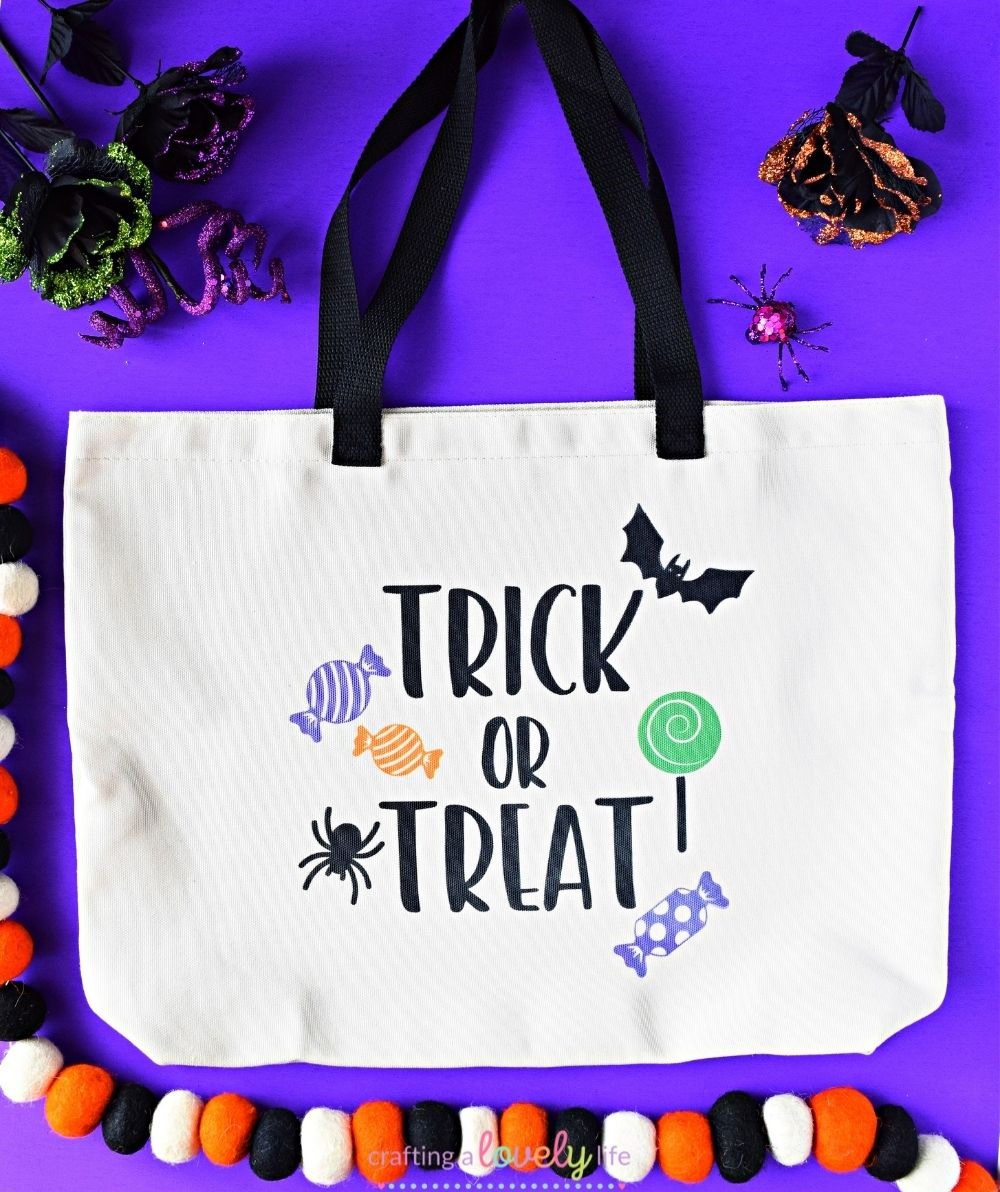
- Halloween tote bags: Use the designs to decorate a tote bag for trick-or-treating.
- Last-minute Halloween costumes: Create a simple costume using a shirt you already own and a little heat transfer vinyl.
With 7 designs to choose from, there are plenty of ways to get creative!
Happy crafting, and have a spooky Halloween! 🎃👻
Download the Free Halloween SVG Files
Ready to make your own easy Cricut Halloween costume?
This free SVG cut file is available in my Resource Library. The library has so many SVG cut files, Cricut Tutorials, printables, craft templates, and more, and it’s all completely free!
Already a member of the Resource Library? Download the Free Halloween Pumpkin and Ghost Face SVG Cut Files instantly.
If you aren’t a member yet, just enter your name and email below to have the free Resource Library password sent right to your email inbox!
Check out some of my favorite Halloween finds on Amazon:
HOW TO USE THESE CUT FILES:
You can use these files on your Cricut Maker, Cricut Explore, Cricut Joy, Silhouette Cameo, or other brands of electronic cutting machines that use these file types.
Please review the licensing information for these files by clicking the link below.
* Crafting A Lovely Life SVG File License Information
Don’t forget to save this cut file on Pinterest for later!